Mobile thermal inspection with FLIR cameras
JC Thermal Master Pro
Capture thermal images, assess readings and document inspections in structured projects – fully offline, without cloud uploads or a subscription.
For Android 13 or later with FLIR One Pro (USB-C) or FLIR Edge Pro (wireless). The app is approved by Teledyne FLIR.
On site
Measure and document with traceable project data.
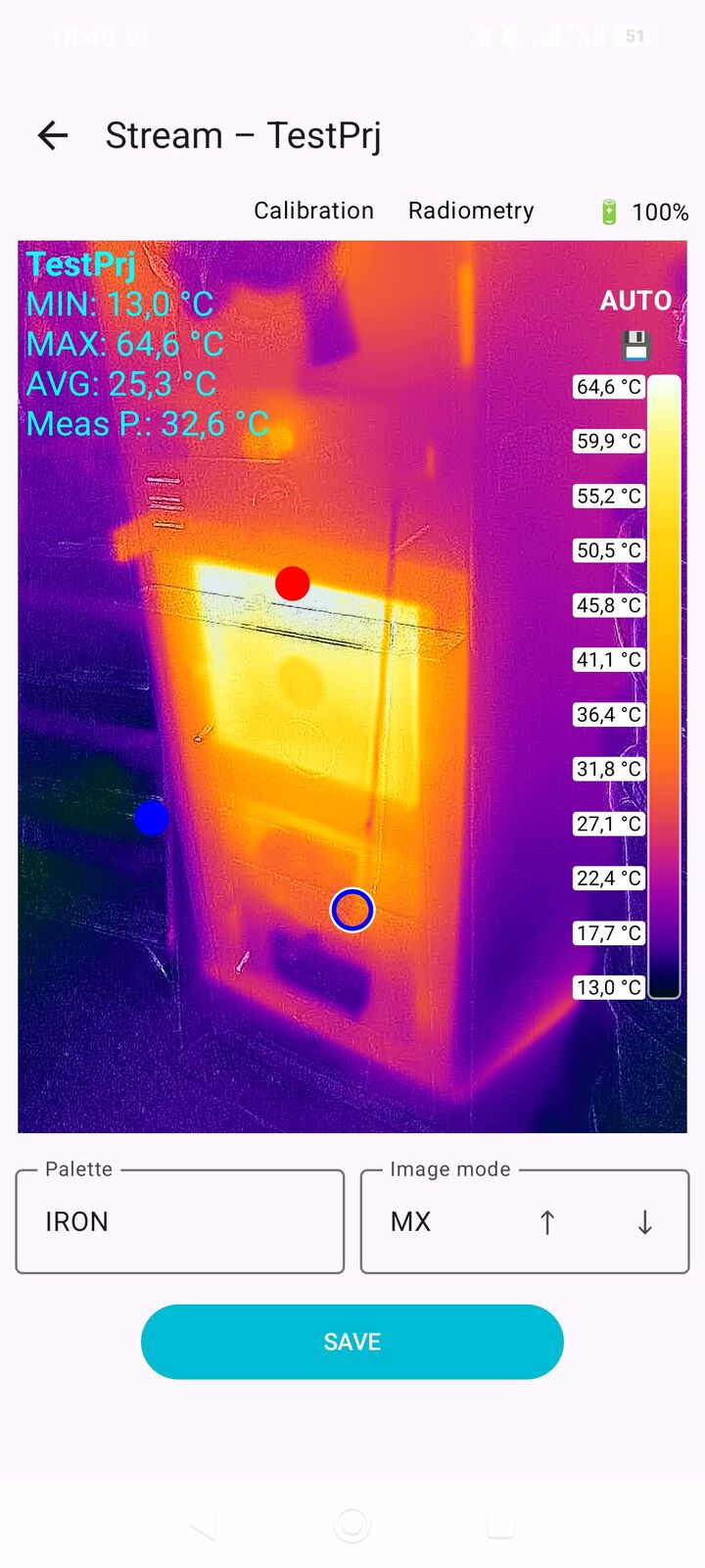
JC Thermal Master combines live thermal imaging with structured inspection records on an Android phone or tablet. Create a project, connect a FLIR camera, open the live view and assign relevant captures directly to the inspection. Work locally without ads, analytics tracking or cloud uploads.
- Choose thermal, MSX with visible outlines or normal visual-camera images. MIN, MAX, average, measurement-point readings and optional hot/cold spot markers support assessment.
- Select a colour palette and AUTO or FIX scale: AUTO adapts to the scene; FIX maintains a consistent colour-to-temperature mapping for comparable captures. Display temperatures in °C, °F or K.
- Set emissivity, reflected temperature, distance, air temperature and humidity, and save them as project defaults. Automatic and manual calibration (NUC) and a ΔT reading against a reference value complement live measurement.
- Document the customer, location, inspected object, inspection, operator and environmental conditions. Add descriptions, status, tags, favourites and external temperature values to images.
- Store readings, capture time and measurement parameters with each image; include GPS coordinates when location recording is enabled and a position is available.
- Back up or share complete projects, including images and metadata, as ZIP files. Re-import exported projects later and continue the documentation.
Pro additionally offers the 0 to 400 °C measurement range. The free Demo is limited to two projects and five images per project, with a range of −20 to +120 °C.
Typical tasks include documenting heating in cables and electrical cabinets, thermal anomalies in machinery, thermal bridges and heating pipes, and temperature differences or hot spots on photovoltaic modules.
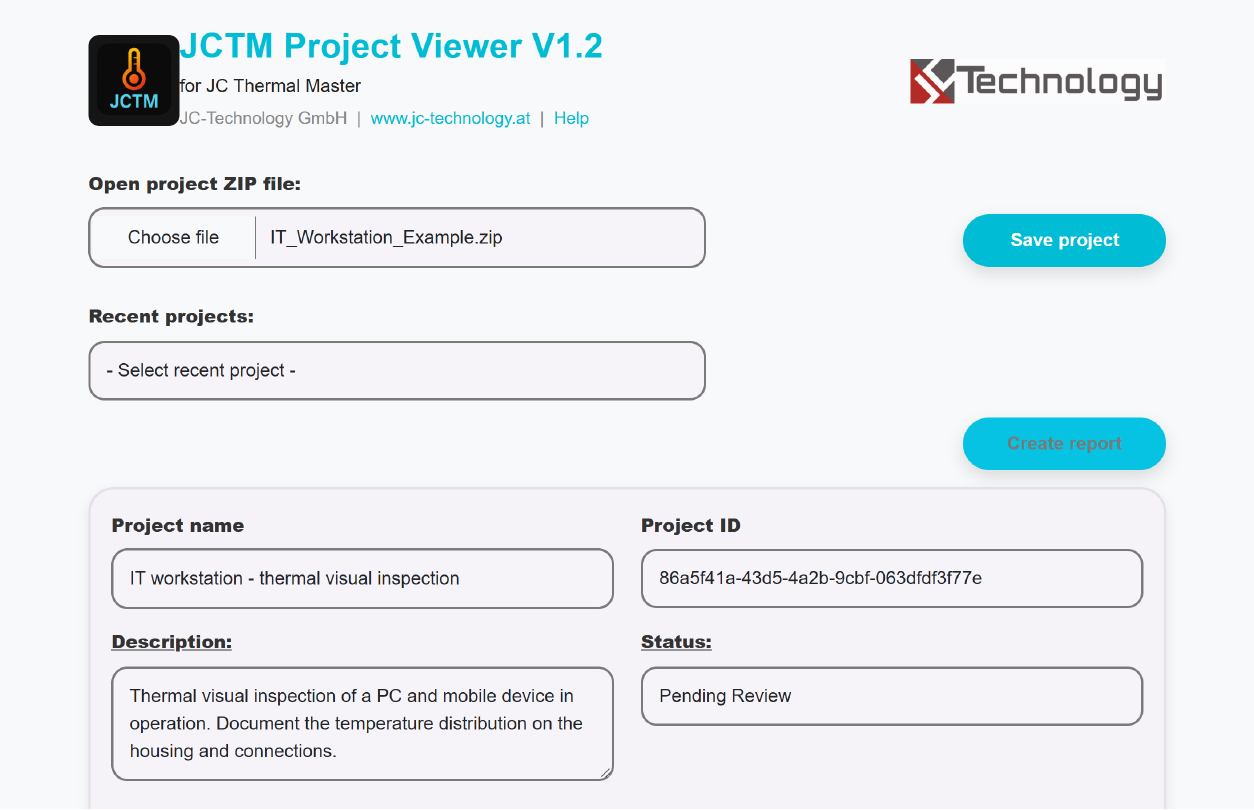
Offline project viewer
Review projects on a computer and create reports.
The JCTM Project Viewer is the included HTML application for reviewing exported inspections on a PC or laptop. It runs in a modern browser on Windows, macOS or Linux, fully offline and without installation. Colleagues or customers can also review a received project and create reports without having the Android app.
How to open a project
- Export the project as a ZIP file in the app. Copy the project ZIP and the accompanying jctmviewer.zip Viewer package to the computer.
- Extract jctmviewer.zip into its own folder and open jctmviewer.html in the browser. Keep the supplied files together in that folder.
- Choose “Open project ZIP file” in the Viewer and open the exported project ZIP. Images, readings and project details are then available for review.
Review, edit and report
- Review project and image data. In Pro, edit descriptions, status, tags, favourites and external temperature values; download individual captures using “Download Image”.
- Select project and image fields for the report, add a summary, and include or exclude individual captures. Filter by status, date range, tags, temperature values or temperature difference; consider favourites and available GPS data.
- Record the people responsible for verification and approval, with dates. Use “Create Report” to open the preview, then print or save as PDF through the browser’s print function, optionally including statistical tables.
- Use “Save project” to create a new ZIP file including your changes. Import it back into the mobile app to continue working and export it again.
The Viewer is also included with the Demo. For Demo projects, only verification and approval details, including dates, can be edited; the other project and image data remain read-only.
Stored thermal readings remain unchanged. Archived projects are locked against editing; change the project status before editing.