Details and features

JC Thermal Master in detail

This page describes the most important app areas, workflows and technical functions for users who want to document mobile thermography in a structured way.

App goal

Mobile thermal image capture with project structure and offline evaluation.

JC Thermal Master is an Android app for FLIR One Pro and FLIR Edge Pro. It is intended for users who do not only capture thermal images, but want to document them with project, object, location, temperature and report data.

PlatformAndroid 13 or higher
CamerasFLIR One Pro via USB-C, FLIR Edge Pro wirelessly
EditionsFree Demo for testing, Pro for complete project work
Workflowoffline-capable, project-based, exportable

App areas

The most important screens and tasks.

The following entries link to the detailed descriptions of each app page. The screenshots show the corresponding app areas in mobile portrait format.

Screen details

What happens on each app page.

JC Thermal Master Project list with project overview, export, import and management

JC Thermal Master

Project list

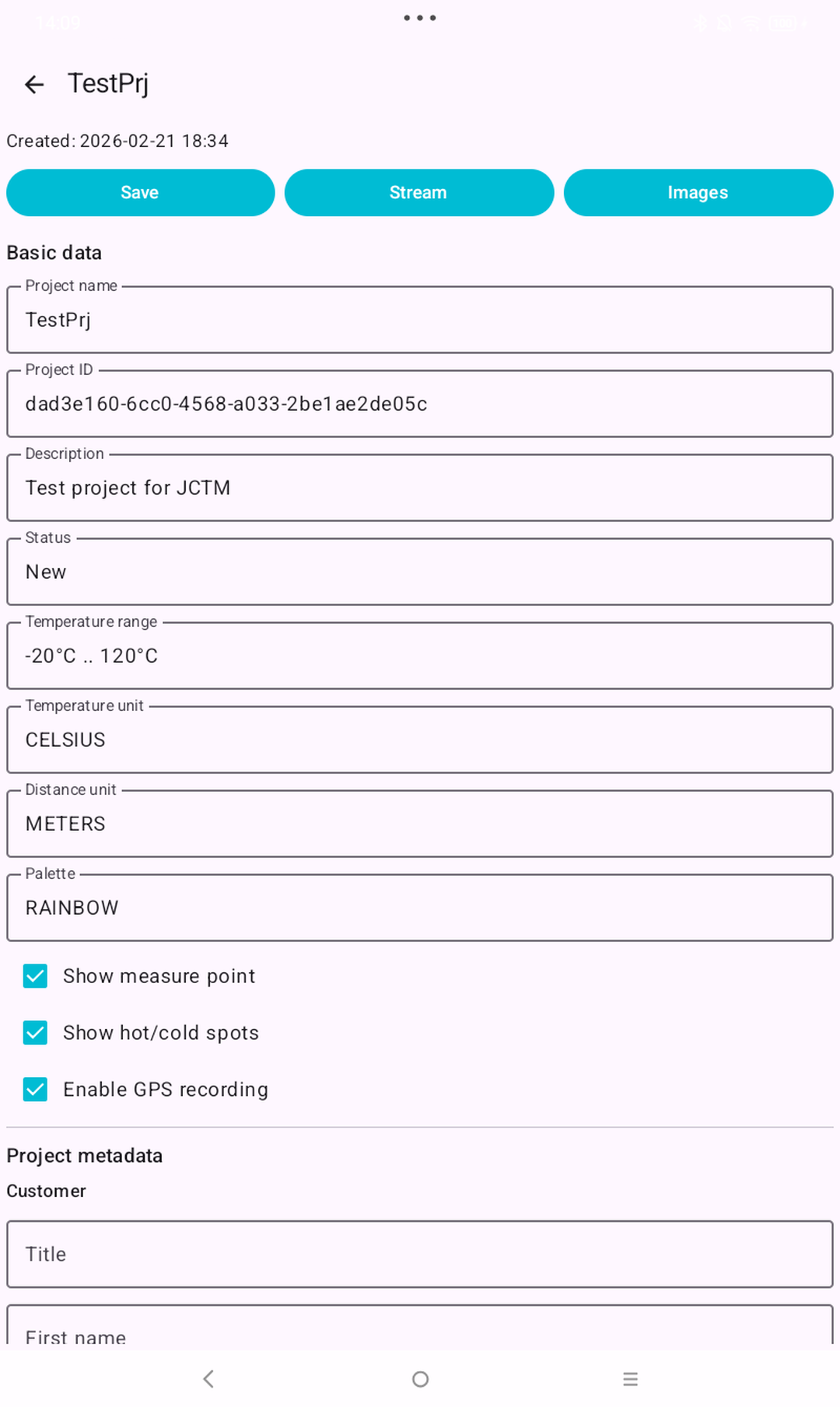
The Project list page is the entry point for mobile work. The user selects an existing project, creates a new one or exports/imports project packages.
Functions

  • display, select and open projects
  • create new projects and delete existing projects
  • export and import project ZIP files
  • show demo limits for the number of projects

Visible data

  • project name, description, creation or modification date
  • project status and quick actions
  • import/export notes and error messages for name conflicts
JC Thermal Master Project detail with project data, status, location and radiometry defaults

JC Thermal Master

Project detail

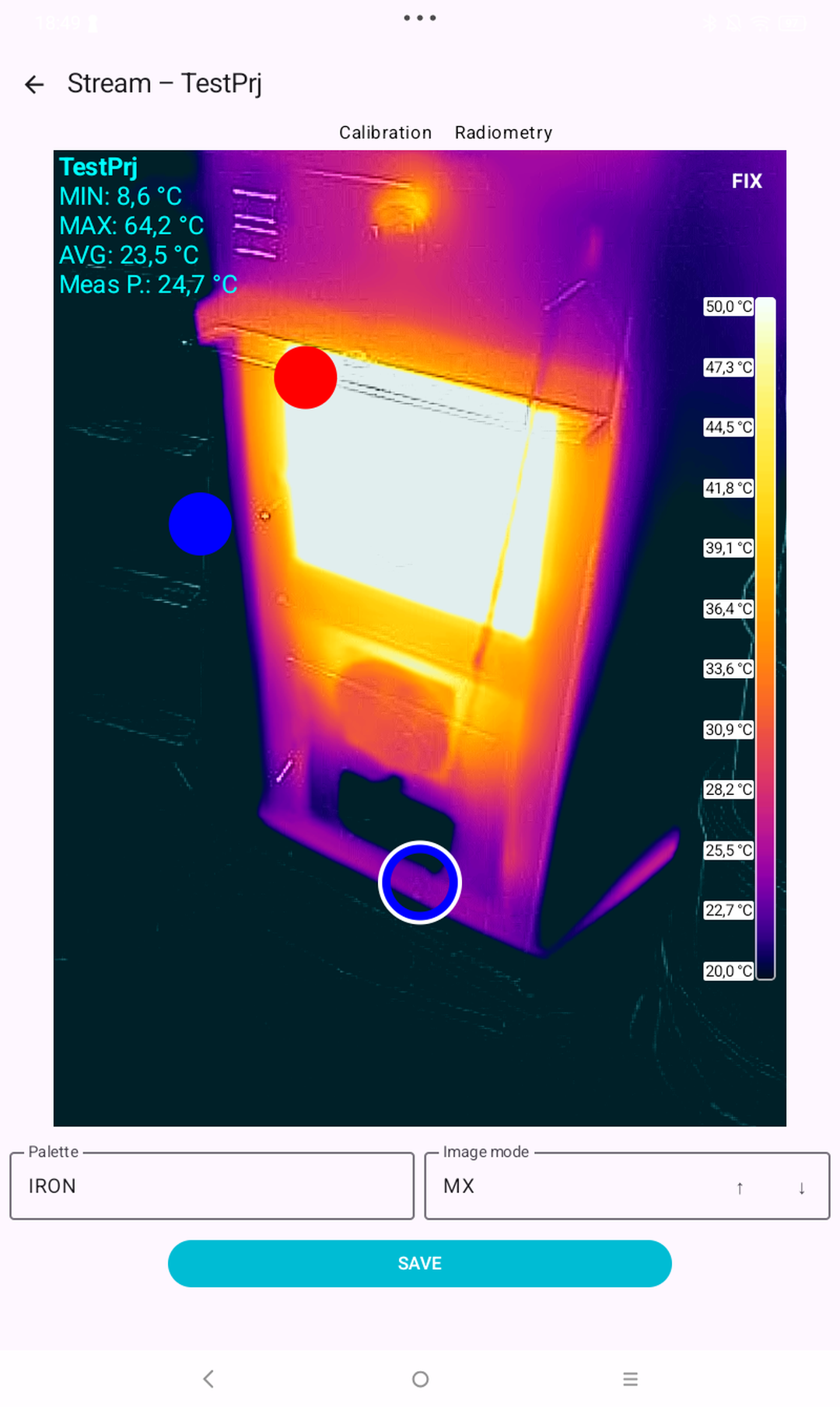
Project detail collects organizational and thermal project information. This data turns individual thermal images into traceable inspection documentation.
Functions

  • edit project name, description and status
  • maintain customer, location, object and operator information
  • select temperature and distance units and palette
  • save project defaults for radiometry and fixed scale

Visible data

  • basic data, customer, location, inspection purpose, external reference
  • emissivity, reflected temperature, distance, atmosphere, humidity
  • fixed scale min/max, GPS option, free text, tags and release data
JC Thermal Master Stream with live thermal image, measurements and camera actions

JC Thermal Master

Stream

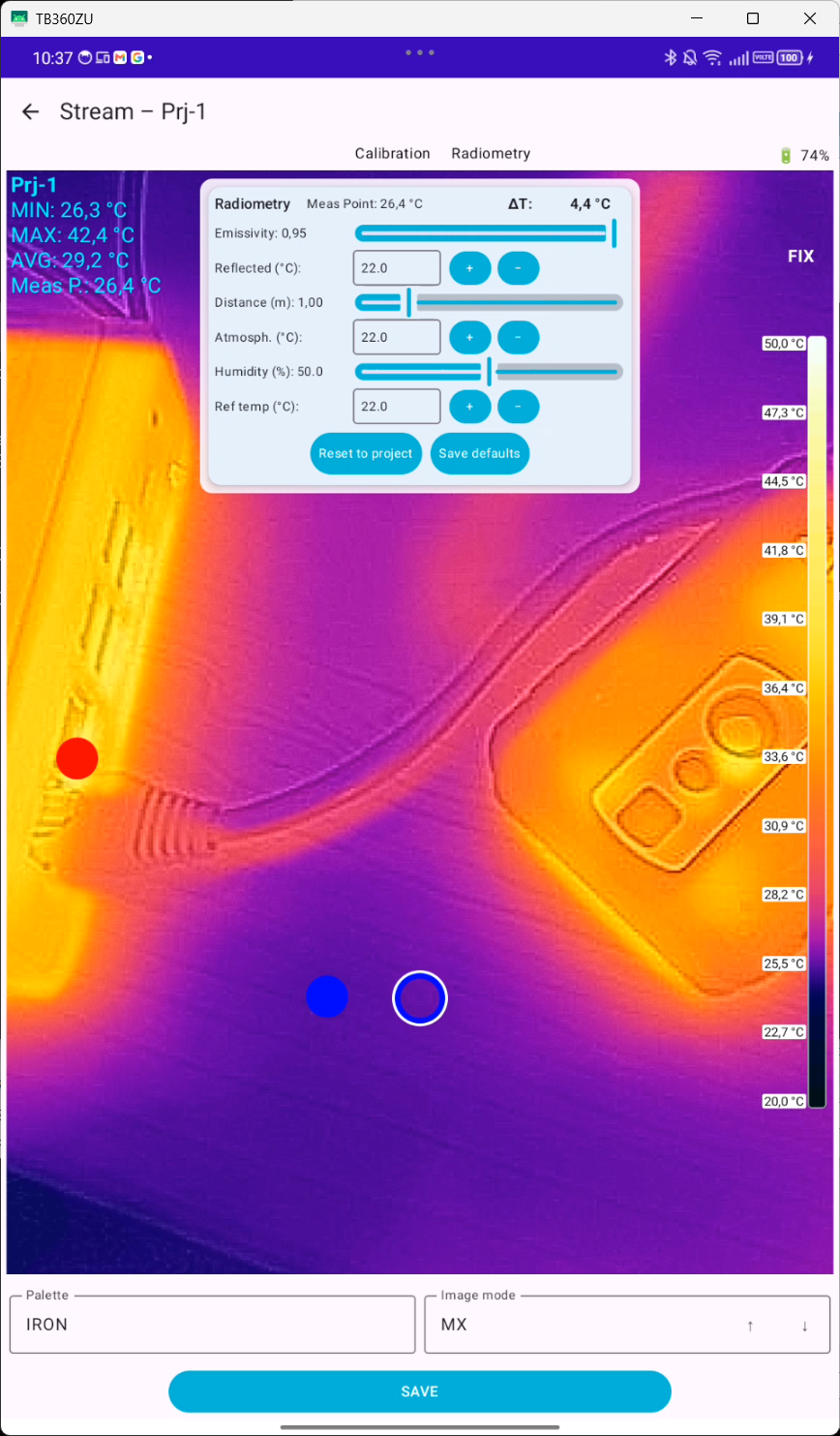
Stream is the capture screen. It connects to the camera, displays the live thermal image and saves selected frames with measurement data into the current project.
Functions

  • connect FLIR One Pro via USB-C or FLIR Edge Pro wirelessly
  • display live thermal image and apply camera settings
  • control NUC, palettes, temperature range, fusion mode and fixed scale
  • save the current frame as an image including metadata

Visible data

  • live image, project name, MIN/MAX/AVG/CENTER values
  • hot and cold spot, measurement point, battery status and connection status
  • save, stream, discard and calibration actions depending on state
JC Thermal Master Radiometry panel with emissivity, distance, atmosphere and humidity

JC Thermal Master

Radiometry panel

The Radiometry panel allows the thermal model parameters to be adjusted directly during capture. This keeps measurements better aligned with material, distance and environment.
Functions

  • adjust emissivity with a slider
  • edit reflected and atmospheric temperature in the selected unit
  • set distance in meters or feet
  • use humidity, reference temperature and delta display

Visible data

  • current measurement point temperature and delta value
  • emissivity, reflected, distance, atmospheric, humidity
  • buttons for NUC, reset to project values and save as project default
JC Thermal Master Image list with saved captures and status information

JC Thermal Master

Image list

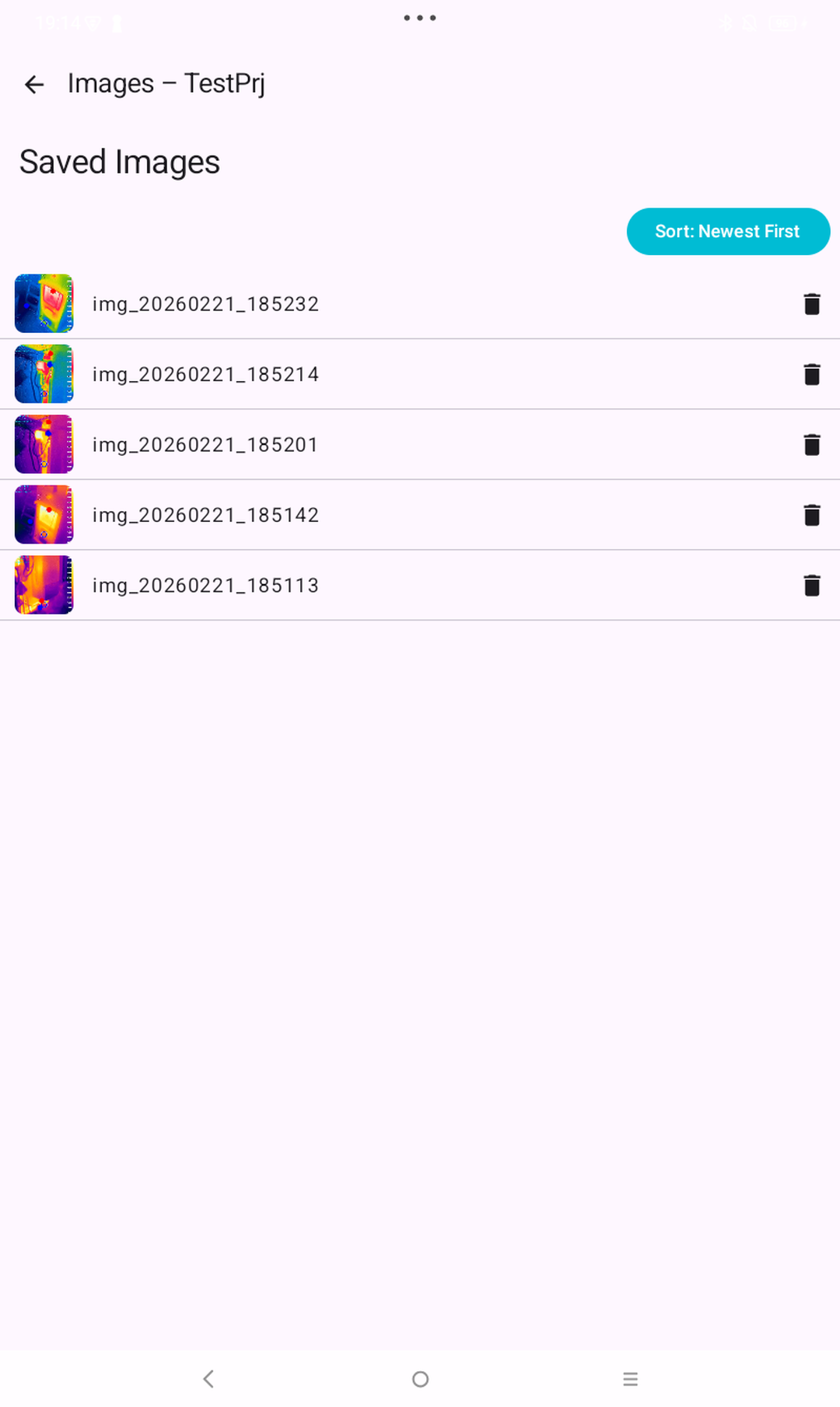
Image list is the gallery of a project. It helps users find, check and open saved thermal images.
Functions

  • display all images of a project
  • find images more easily by name or status
  • open image details or delete images if the project is not archived
  • quickly review image status and descriptions

Visible data

  • thumbnail or image preview, image name and status
  • creation time, important temperature values and short description
  • archive/read-only notes for locked projects
JC Thermal Master Image detail with thermal image, temperature values, description and metadata

JC Thermal Master

Image detail

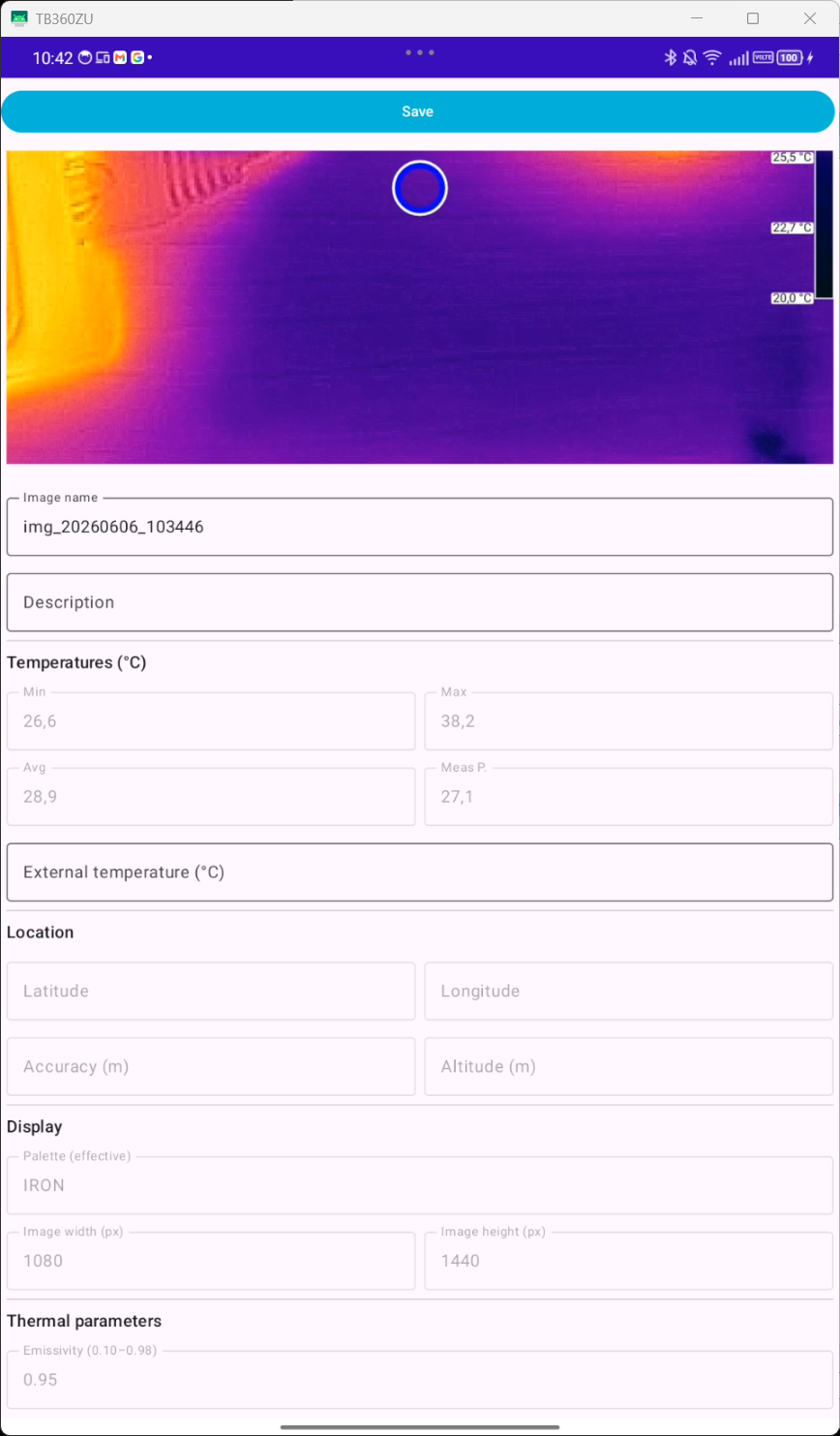
Image detail makes a captured thermal image technically describable. Visible image information and stored metadata are brought together here.
Functions

  • edit image name, description, status, tags and favorite flag
  • check temperature values, external temperature and units
  • view GPS data, accuracy and altitude
  • trace thermal parameters and fixed scale per image

Visible data

  • large image, MIN/MAX/AVG/CENTER and external temperature
  • description, status, tags, favorite flag, location data
  • palette, units, emissivity, reflected, distance, atmosphere, humidity
JC Thermal Master Help and About with app help, product information and notes

JC Thermal Master

Help and About

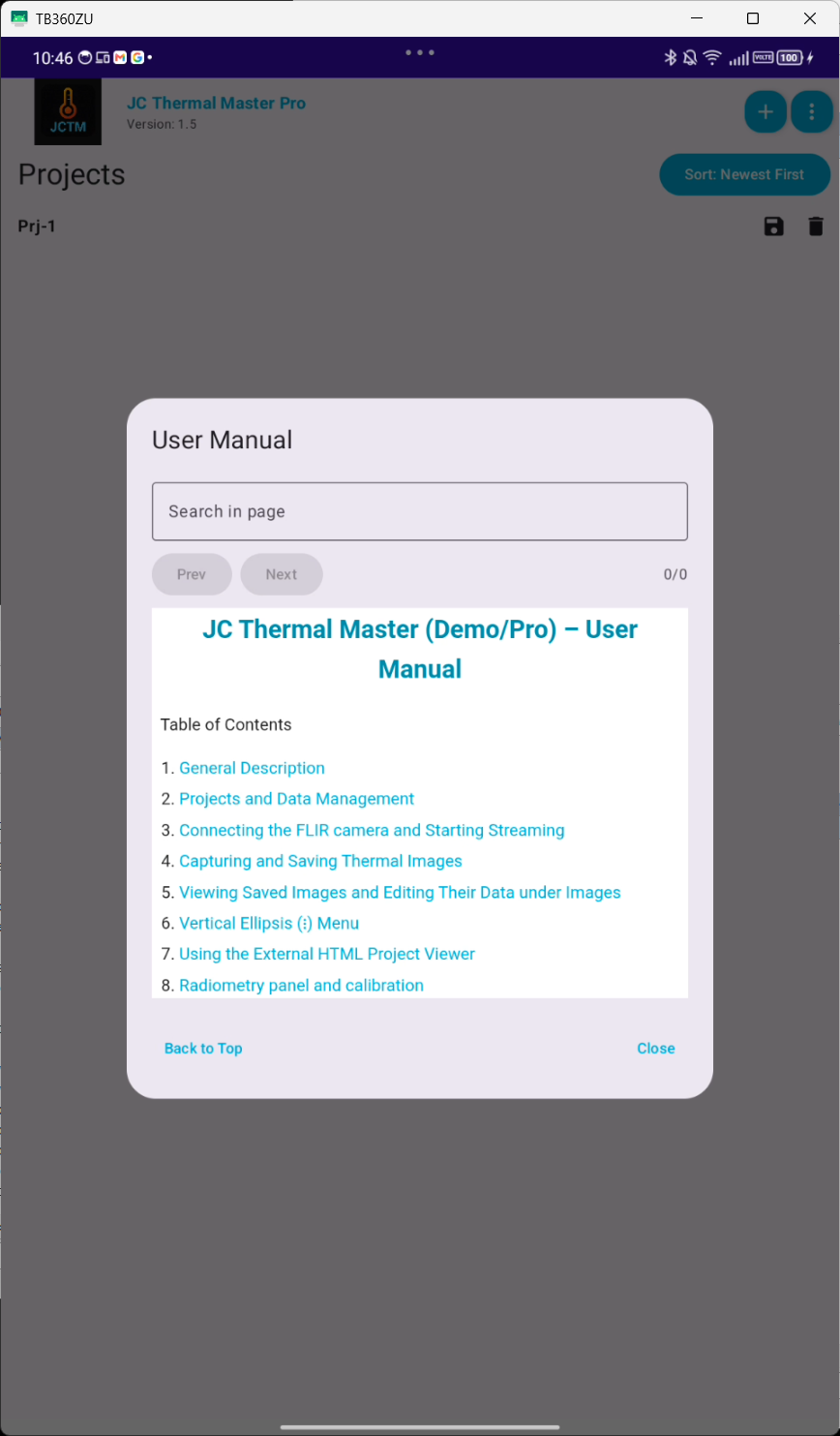
Help and About explain operation directly in the app. This is especially important because JCTM can also be used offline and in the field.
Functions

  • open the user manual in the app
  • explain camera connection, capture, export and viewer
  • distinguish between Demo and Pro versions
  • show privacy, disclaimer and FLIR notes

Visible data

  • version, app name, contact and website
  • supported cameras and Android requirements
  • legal notes, privacy link and measurement disclaimer
JC Thermal Master External viewer with exported project and image data

JC Thermal Master

External viewer

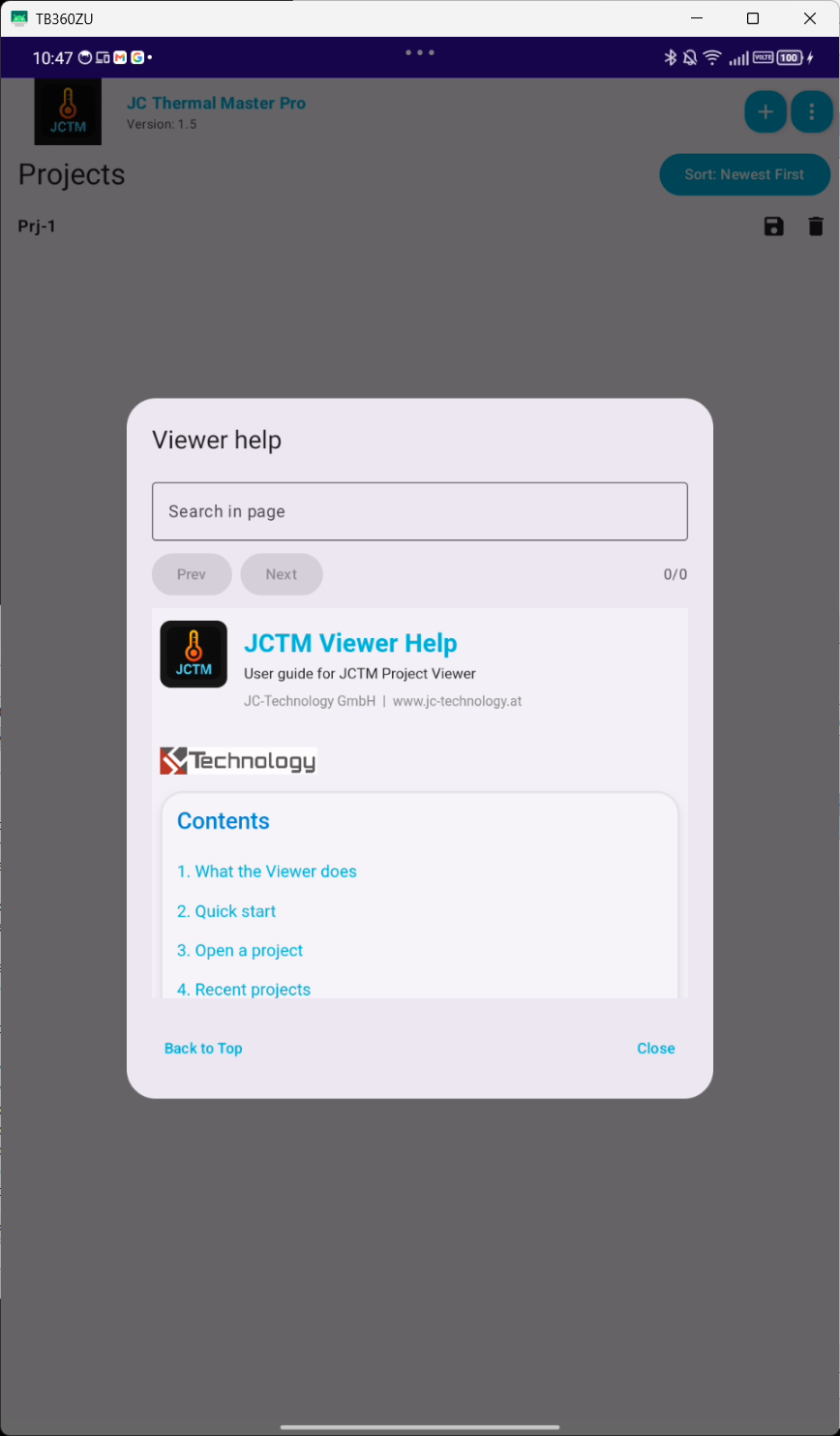
The External viewer makes exported JCTM projects usable without an installed Android app. A customer or colleague can open a ZIP file on a PC and review the project data.

Functions

  • open project ZIP in the browser
  • display and, depending on version, edit project and image data
  • manage Recent Projects locally in the browser
  • prepare report view with filters, image selection and printable output

Visible data

  • project fields, image list, image metadata and status information
  • filters for status, name, description, date, tags, GPS and temperature ranges
  • report summary, table options, image selection and print preview

Features

What JC Thermal Master provides in practical use.

Camera connection

FLIR One Pro is used via USB-C, FLIR Edge Pro wirelessly. The app processes live images and thermal measurements through the FLIR SDK.

Thermal display

Palettes, units, temperature ranges, fixed scales, measurement point as well as hot and cold spots support consistent evaluation.

Metadata

Projects and images store technical and organizational information including customer, location, object, status, comment, tags and GPS.

Export and import

Projects are exported as ZIP files with project.json, image files and image metadata and can be imported again later.

Viewer and report

The HTML viewer allows offline viewing of exported projects, filtering, selection of relevant images and preparation of printable reports.

Demo/Pro

The Demo shows the workflow with limits, while the Pro version is intended for complete project work.

Limits and positioning

A mobile tool, not a stationary monitoring system.

JC Thermal Master is intended for mobile, manual inspections and documentation. For automatic long-term monitoring with rules, incidents, background processes and a web dashboard, JC Thermal Monitor is the appropriate product.

  • Measurement results depend on camera, environmental conditions, emissivity, calibration and operation.
  • For safety-critical decisions, results should be independently verified.
  • Very large viewer projects need enough browser memory; a tested workflow is important for large project volumes.

Go to the stationary monitoring system

Open JC Thermal Master Pro on Google Play